
Website Maintenance
Keep Your WordPress Website Secure, Updated & Running Smoothly
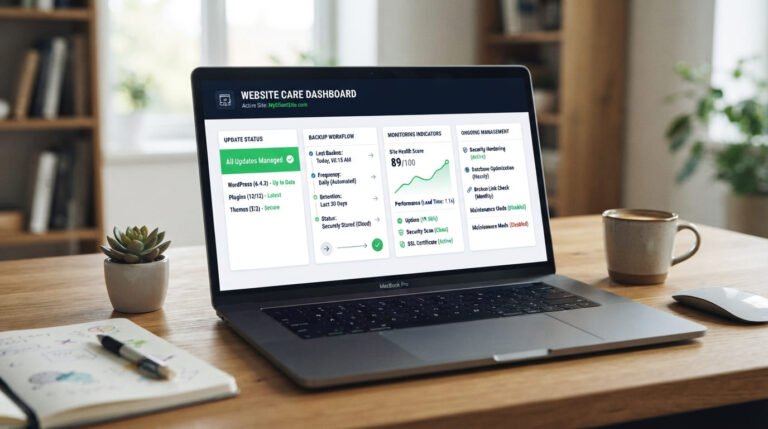
A WordPress website needs regular maintenance after launch. I help businesses keep their websites updated, monitored, and technically healthy through practical maintenance, backup reviews, and ongoing support.
- Core, Theme & Plugin Updates
- Verified Scheduled Backups
- Proactive Uptime & Form Checks
- Direct Developer Support
What's Included in Every Build
Clean, purpose-built WordPress architecture delivered without unnecessary plugin baggage.
Outdated WordPress Software
Older WordPress core files, parent themes, or plugin versions create security vulnerabilities and compatibility conflicts with modern PHP versions.
- Risk: Vulnerability risk & broken layouts
Broken Website Features
Silent updates or server configuration changes often break checkout buttons, contact forms, navigation menus, or third-party API integrations.
- Risk: Lost leads & missed customer inquiries
Missing or Failing Backups
Many business owners assume hosting automatically creates usable backups, only to discover blank archives when disaster strikes.
- Risk: Permanent data loss risk
Gradual Speed & Performance Decay
Accumulated database transients, bloated revisions, unused plugins, and uncompressed media uploads steadily drag down load speeds.
- Risk: Lower conversion & search rank drop
Security Concerns & Brute-Force Attacks
Default login paths, exposed admin users, and unmonitored scripts leave doorways open for automated botnets and malicious injections.
- Risk: Blacklisting & domain reputation damage
No In-House Technical Resource
Small businesses rarely have a full-time web developer on staff, leaving owners to guess through dangerous server error messages.
- Risk: Frustration & hours of wasted time
What Is Included in WordPress Maintenance?
Honest, hands-on maintenance focused exclusively on services that protect website health and business continuity.
WordPress Updates
Controlled, verified version increments
- WordPress core version updates
- Theme updates & child-theme compatibility
- Plugin updates with dependency review
- Pre-update compatibility staging checks
- Post-update regression review
Backups & Recovery Planning
Restorable data protection
- Automated backup configuration
- Independent off-site storage review (AWS/Google Drive)
- Database and files verification checks
- Emergency rollback & disaster recovery plan
- Backup retention policy management
Security Checks & Hardening
Sensible defense against avoidable risks
- Basic security configuration review
- User & administrator privileges audit
- Plugin and theme risk evaluation
- Login page protection & brute-force mitigation
- Malware scan & anomaly escalation where required
Website Health Monitoring
Continuous checks before clients notice errors
- Automated website availability monitoring
- Broken page & 404 error detection
- Contact and inquiry form submission testing
- Mobile and desktop layout health checks
- Critical user pathway verification
Direct Technical Support
Developer expertise whenever questions arise
- Minor content, graphic, or layout adjustments
- WordPress troubleshooting & bug resolution
- Plugin conflict diagnosis & remediation
- Theme configuration assistance
- Plain-English maintenance guidance
A Website Should Not Be Abandoned After Launch
Keep all core, theme, and plugin components current with the latest PHP environment
Significantly reduce avoidable technical downtime and emergency repair invoices
Protect critical customer data, transaction records, and marketing content with verified backups
Identify broken checkout buttons or non-firing inquiry forms before revenue is lost
Maintain consistent mobile usability and responsive design standards
Preserve established Core Web Vitals performance and search engine ranking foundations
Free up hours of business management time instead of troubleshooting server crashes
Choose the Level of Support You Need
Tailored maintenance tiers designed around website complexity. Final pricing and inclusions are confirmed after reviewing your specific site requirements.
Basic Maintenance
Suitable for small brochure, portfolio, or personal business websites.
- Typical Inclusions:
- Routine WordPress core, theme, and plugin updates
- Plugin compatibility and conflict checks
- Weekly off-site backup verification
- Basic website availability & homepage testing
- Contact form delivery testing
- Email maintenance support for minor fixes
- MOST COMMON
Standard Maintenance
Suitable for active lead-generation and growing service company websites.
- Typical Inclusions:
- Everything in Basic Maintenance
- Frequent scheduled update check intervals
- Monthly Core Web Vitals & speed performance review
- Complete lead form and conversion funnel testing
- Security settings and administrator access review
- Up to 2 hours of direct developer content/layout support
- Detailed monthly maintenance summary report
Advanced Maintenance
Suitable for WooCommerce stores, membership sites, or high-traffic portals.
- Typical Inclusions:
- Everything in Standard Maintenance
- Specialized WooCommerce cart, checkout & payment gateway checks
- Priority troubleshooting & rapid issue escalation
- In-depth database transient cleanup & optimization
- Disaster recovery planning & staging environment sync
- Multi-currency & shipping configuration monitoring
- Direct WhatsApp / Slack communication channel
My WordPress Maintenance Process
A systematic, disciplined approach that prevents update conflicts before they reach your live visitors.
Website Review
Review your current WordPress setup, active theme, installed plugins, hosting environment, PHP version, and baseline functionality.
Maintenance Plan
Identify required maintenance tasks, audit known vulnerabilities, and mutually agree on the support scope and testing schedule.
Verified Backup
Confirm that a complete, restorable database and file backup exists off-site before executing any core or plugin updates.
Controlled Updates
Apply WordPress core, theme, and plugin updates in an orderly sequence, checking for deprecated hooks and PHP version compatibility.
Functionality Testing
Manually test important pages, contact forms, navigation menus, checkout funnels, and responsive layouts across mobile and desktop.
Transparent Reporting
Deliver a clear summary detailing what components were updated, what tests passed, and whether any architectural improvements are advised.
Ongoing Monitoring
Provide continuous availability monitoring, backup verification, and developer support according to your agreed maintenance tier.
Practical WordPress Security Maintenance
Pragmatic, layer-by-layer security hygiene that closes the most common attack vectors without breaking website functionality.
Keeping WordPress core, active themes, and plugins updated against known CVE vulnerabilities
Auditing administrator user accounts and removing inactive or unknown privileged users
Pruning unused, obsolete, or abandoned plugins and legacy themes from the server
Enforcing strong, unique passwords and recommending two-factor authentication (2FA)
Applying least-privilege role permissions for content contributors and staff editors
Restricting default XML-RPC endpoints and mitigating brute-force login attempts
Maintaining automated, off-server encrypted backups for rapid emergency restoration
Monitoring error logs for recurring brute-force scans or anomalous file modifications
Backups That Support Recovery
A backup is only valuable if it can be successfully restored when an outage occurs.
“Backups are useful only when they are available and usable. I help review backup arrangements and identify practical improvements where needed.”
Exact scope of backup (database, media uploads, theme templates, core files).
Physical storage location (off-site Cloud storage like AWS S3 or Google Drive, never just the same server)
Frequency of backup creation tailored to content publishing and order velocity.
Tested restoration procedures to verify archives are not corrupted or partial.
Retention windows to ensure clean backups exist prior to undetected issues.
Controlled, restricted access permissions for backup archives
Notice: We do not claim that existing backups are functional until they have been manually inspected and verified.
Choose the Level of Support You Need
Tailored maintenance tiers designed around website complexity. Final pricing and inclusions are confirmed after reviewing your specific site requirements.
Maintenance Helps Protect Your SEO Foundation
Search engines reward websites that consistently provide fast, error-free, and accessible experiences.
- Ensuring high-value landing pages remain continuously online and accessible to search bots
- Preventing broken internal links, redirect loops, and 404 crawl errors
- Guarding mobile responsiveness and layout stability against update glitches
- Verifying lead generation forms and interactive elements remain functional
- Monitoring Core Web Vitals (LCP, CLS, INP) to ensure theme updates do not degrade speed
- Keeping WordPress SEO plugins, XML sitemaps, and robots.txt rules properly configured
Maintenance alone does not guarantee higher search rankings. SEO performance also depends on content quality, search intent alignment, domain authority, keyword competition, and user experience.
WooCommerce Website Maintenance
Online stores have complex moving parts. E-commerce maintenance requires specialized verification beyond static brochure sites.
- Product catalog single-view and category archive rendering checks
- Add-to-Cart functionality and dynamic cart calculation validation
- Checkout flow testing across standard, Stripe, and Cash-on-Delivery (COD) flows
- Payment gateway API communication checks in sandbox or authorized live mode
- Shipping zone calculation and automated sales tax configuration checks
- Order confirmation email dispatch testing for buyers and administrators
- Promotional discount coupon code rules and expiration testing
- WooCommerce database table optimization and expired transient purging
- Mobile checkout experience testing to reduce smartphone cart abandonment
Payment gateway, checkout, and transaction tests are conducted strictly within agreed test credentials and authorized protocols to safeguard customer transactions.
A Smooth Maintenance Process Requires the Right Access
To maintain your website safely and effectively, we establish secure administrative pathways before initiating work.
Standard Access Pathway:
- Dedicated WordPress administrator credentials (assigned specifically to Umair)
- Web hosting or cPanel / Plesk / SFTP access where server-level configuration is needed
- Backup repository access (e.g. UpdraftPlus, Cloud storage, or hosting backup tool)
- Staging server access where available for pre-testing major version increments
- Clear list of mission-critical website functions, third-party APIs, and priority pages
- Approved scope of maintenance tasks and scheduled maintenance time windows
- Designated point of contact for urgent inquiries or operational decisions
Reliable Maintenance for Real Websites
Proven maintenance and performance stabilization delivered for genuine business clients.
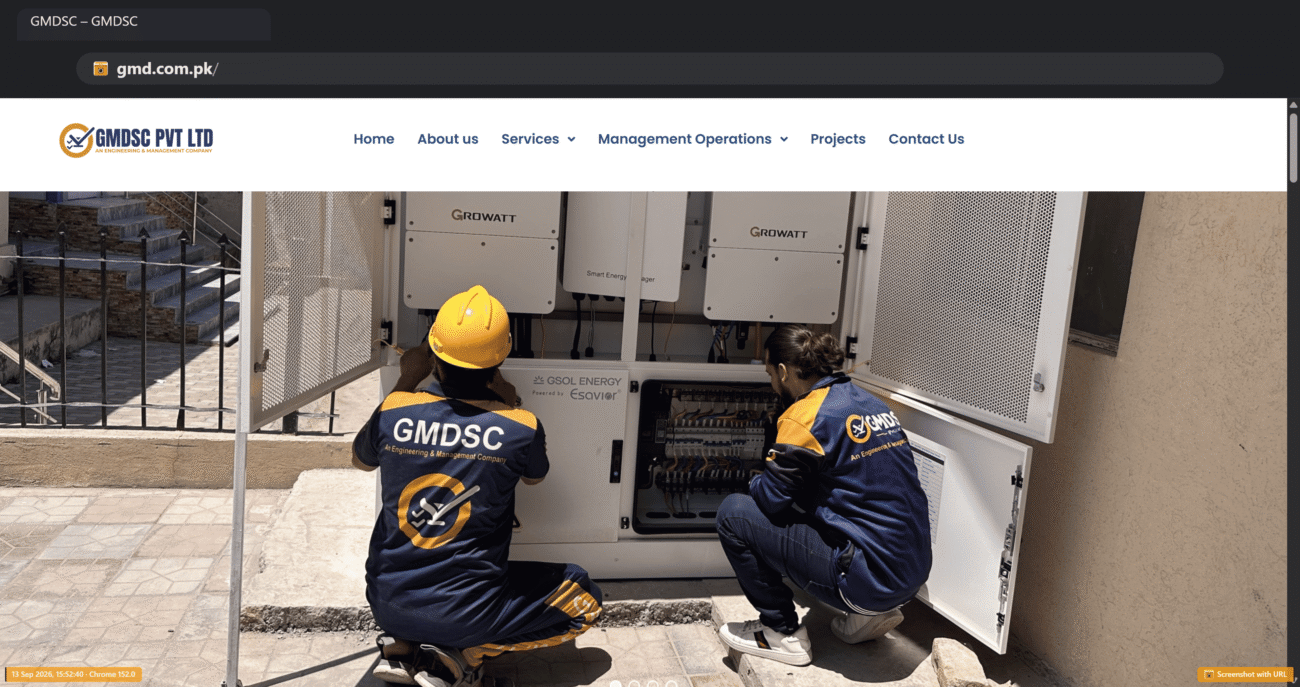
GMDSC PVT LTD
Outdated, slow legacy WordPress installation suffering from severe script bloat, plugin conflicts, and failing Core Web Vitals.
- Work Completed:
- Eliminated 1.8MB of obsolete jQuery plugins and redundant CSS scripts
- Replaced failing theme codebase with clean responsive architecture
- Established automated off-site backup pipeline and update schedule
- Verified Outcome:
- Page load speed cut by 78% (5.2s down to 1.1s)
- Core Web Vitals rescued from failing 29/100 to green 96/100 pass
- Zero plugin conflict errors across all corporate service pages
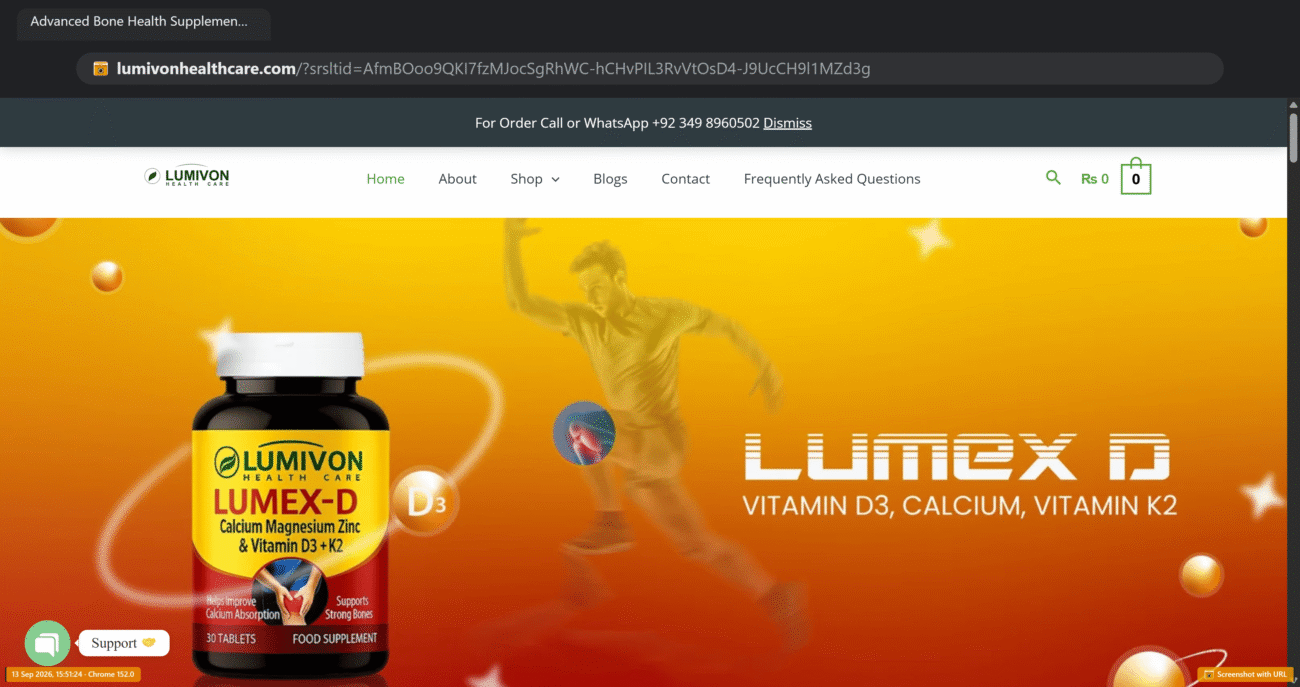
Lumivon Health Care
Active e-commerce store requiring uninterrupted cash-on-delivery checkout flow, mineral taxonomy maintenance, and regular WooCommerce updates.
- Work Completed:
- Pre-update compatibility staging before deploying WooCommerce increments
- Single-page COD checkout validation and order confirmation checks
- Daily automated database backups stored securely off-site
- Verified Outcome:
- 100% checkout uptime across all mineral supplement categories
- Page load speed maintained at 1.1s with 96/100 Core Web Vitals pass
- Direct developer credits verified on live production website footer
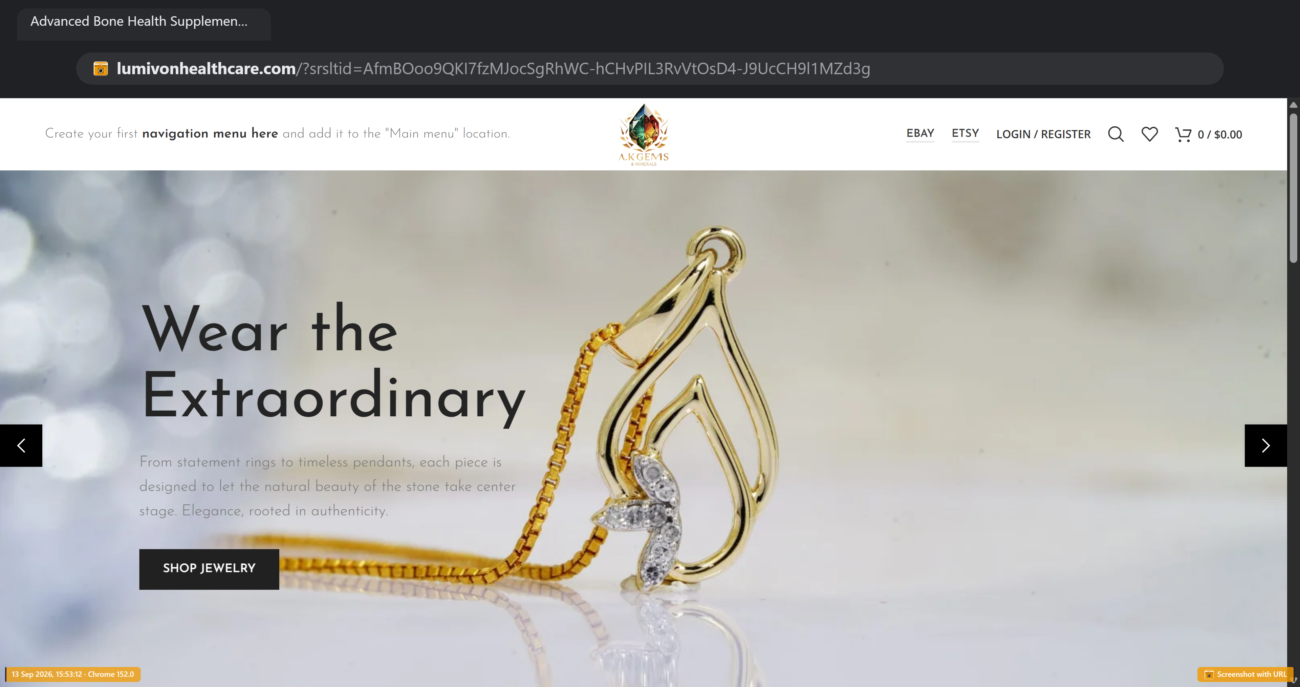
AK Gems and Minerals
High-ticket gemstone store serving international collectors in the US, UK, and worldwide, requiring global currency stability and media optimization.
- Work Completed:
- Lossless WebP image pipeline maintenance for high-res mineral specimens
- International multi-currency display checks and global CDN monitoring
- Regular plugin audits to prevent checkout slowdowns during peak hours
- Verified Outcome:
- 68% page load speed reduction across international testing regions
- Edge TTFB accelerated to 140ms with 0.00 Cumulative Layout Shift
- Stable USD international checkout with real customer reviews
Frequently Asked Questions About WordPress Maintenance
How often should a WordPress website be maintained?
The ideal schedule depends on the website’s complexity, plugin activity, security exposure, content velocity, and business significance. Active business websites and WooCommerce stores benefit from weekly or bi-weekly update cycles and daily database backups, while simple brochure sites can be maintained on a bi-weekly or monthly schedule.
Will maintenance prevent my website from being hacked?
No service can guarantee 100% protection against every security threat. However, consistent maintenance significantly reduces avoidable attack vectors by patching known vulnerabilities in core, theme, and plugin code, auditing administrator privileges, and ensuring verified recovery backups exist.
Do you provide emergency WordPress support?
We offer priority troubleshooting and rapid issue escalation for clients on our Standard and Advanced maintenance plans. For non-maintenance clients with an active site outage, we review hosting access and scope emergency repair availability on a case-by-case basis.
Will you update my website without breaking it?
Updates are approached with rigorous caution. Before executing significant updates, we confirm that a fresh, restorable backup exists. For complex sites, updates are pre-tested in a staging environment to catch plugin or PHP incompatibilities, followed by thorough manual testing of critical forms and layouts on the live site.
Can you maintain Elementor websites?
Yes. Many of our production projects (such as Lumivon Healthcare) utilize Elementor. Our maintenance checks include Elementor core and add-on version compatibility checks, responsive container integrity, font rendering checks, and layout troubleshooting.
Can you maintain WooCommerce stores?
Yes. WooCommerce maintenance requires specialized attention beyond simple blogs. We verify product display pages, cart calculation integrity, checkout gateway connectivity, Cash-on-Delivery flows, tax/shipping logic, and automated order confirmation emails.
Do you provide website backups?
Yes. We configure and monitor automated off-site backups (storing files and database snapshots in secure cloud repositories like AWS S3 or Google Drive). We also periodically inspect and verify backup files to confirm they are uncorrupted and restorable.
Can maintenance improve SEO rankings?
Maintenance protects your technical SEO foundation by preventing broken links, eliminating crawl-blocking 404 errors, maintaining mobile usability, and guarding Core Web Vitals speed scores. However, search rankings also depend on high-quality content, search intent, backlinks, and market competition.
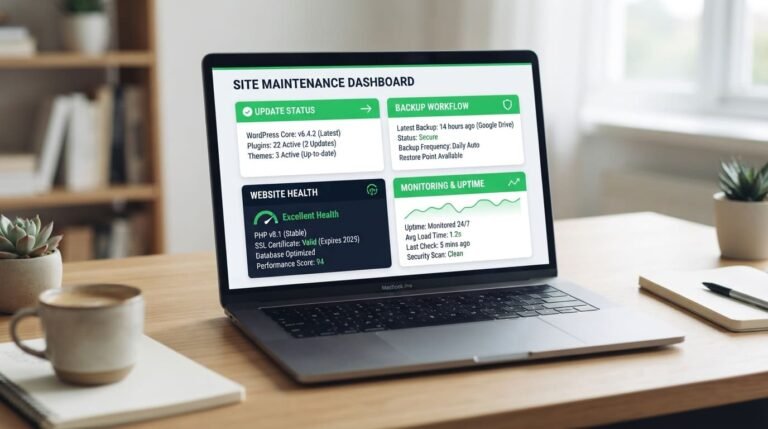
Need Someone to Keep Your WordPress Website Maintained?
Let's review your current WordPress setup, active plugins, and hosting environment to build a practical, transparent maintenance plan that fits your business.